Configure electricity prices and logs
Set the electricity price, choose where completed payments are logged, and publish the electricity panel in Discord.
Before you begin
- You need owner or administrator access to your Discord server in the CoreRP dashboard.
- Configure the CoreRP economy and bank. Electricity uses the currency saved in the Economy module.
- To run
/admin panel, you need the Discord Manage Messages permission and access to CoreRP administrator commands. - In the panel channel, CoreRP needs View Channel, Send Messages, and Embed Links.
- In the electricity log thread, CoreRP needs View Channel, Send Messages in Threads, and Embed Links.
- A member needs an active citizen ID and primary bank account when they submit the payment form.
Configure electricity
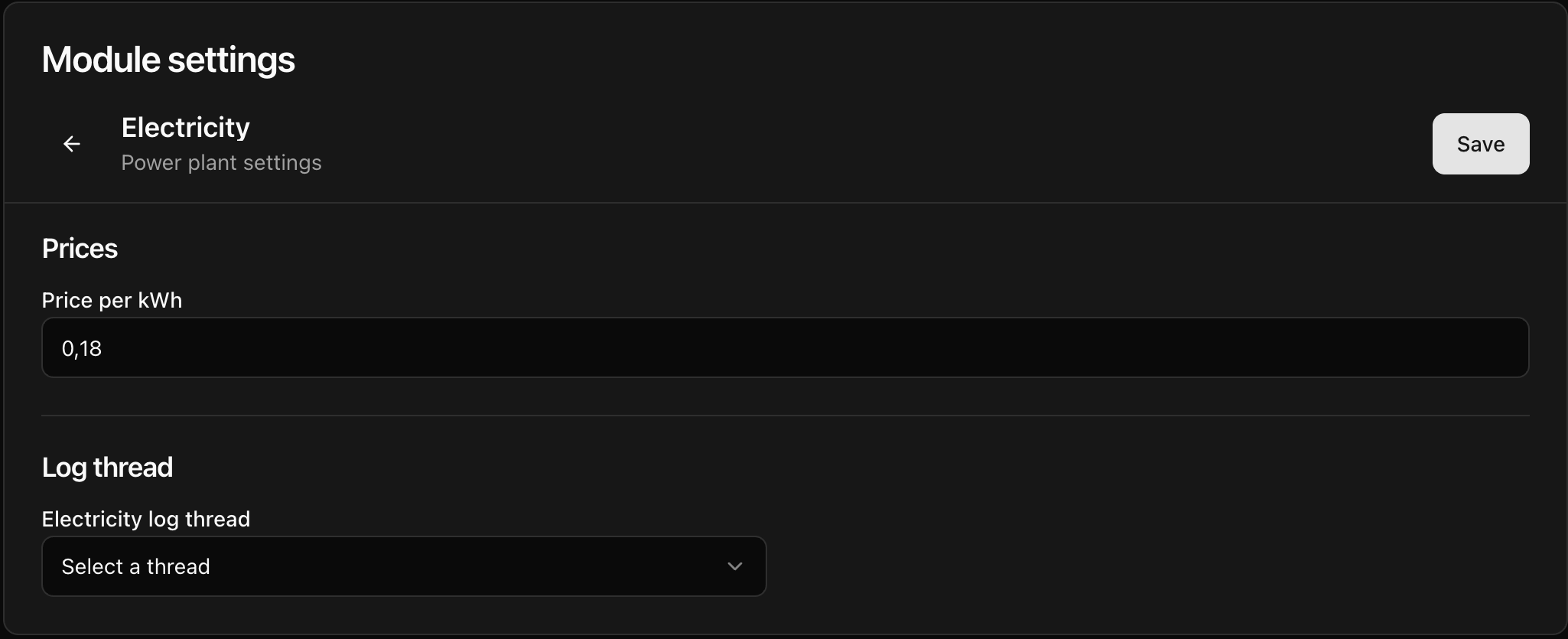
- Open the CoreRP dashboard, select your Discord server, then open Module settings → Electricity.
- In Price per kWh, enter the nonnegative amount charged for one kilowatt-hour. Leaving the field blank saves
0. CoreRP saves the amount to two decimal places. The currency comes from the Economy module and cannot be changed on this page. - Under Electricity log thread, select the thread that should receive a record after each completed payment. If the selector is already unselected, leave it unselected when you do not want payment logs.
- Select Save, reload the page, and confirm that the price and thread still show the saved values.
Publish the electricity panel
-
In Discord, run
/admin panel panel:Electrical Company channel:#your-channel.The
paneloption is required. Thechanneloption is optional; omit it to publish in the channel where you run the command. -
Confirm that CoreRP privately responds Panel was sent to this channel. and publishes a public Electricity panel with the saved price and Pay electricity button.
After changing Price per kWh, save the setting and publish the panel again. Anyone with an open payment confirmation should cancel it and reopen the payment flow to see the current total.
Troubleshooting
- If CoreRP cannot publish the panel, confirm that you can use administrator commands and that CoreRP has View Channel, Send Messages, and Embed Links in the selected channel.
- If a completed payment has no log, check the selected Electricity log thread and CoreRP's thread permissions.
- If CoreRP reports that an ID card or account is missing, activate a citizen ID and primary bank account before submitting the kWh form again.
Next steps
Continue with paying an electricity bill for the full charge, balance, and payment-log workflow.