Require ER:LC presence and proximity for commands
Choose which CoreRP commands require players to be in the linked ER:LC server or near another player.
Before you begin
- Complete Connect CoreRP to your ER:LC server.
- Each affected citizen needs the exact Roblox username used in ER:LC.
Configure command behavior
-
Open Module settings → ER:LC Extension → General settings.
-
Find Command behavior.
-
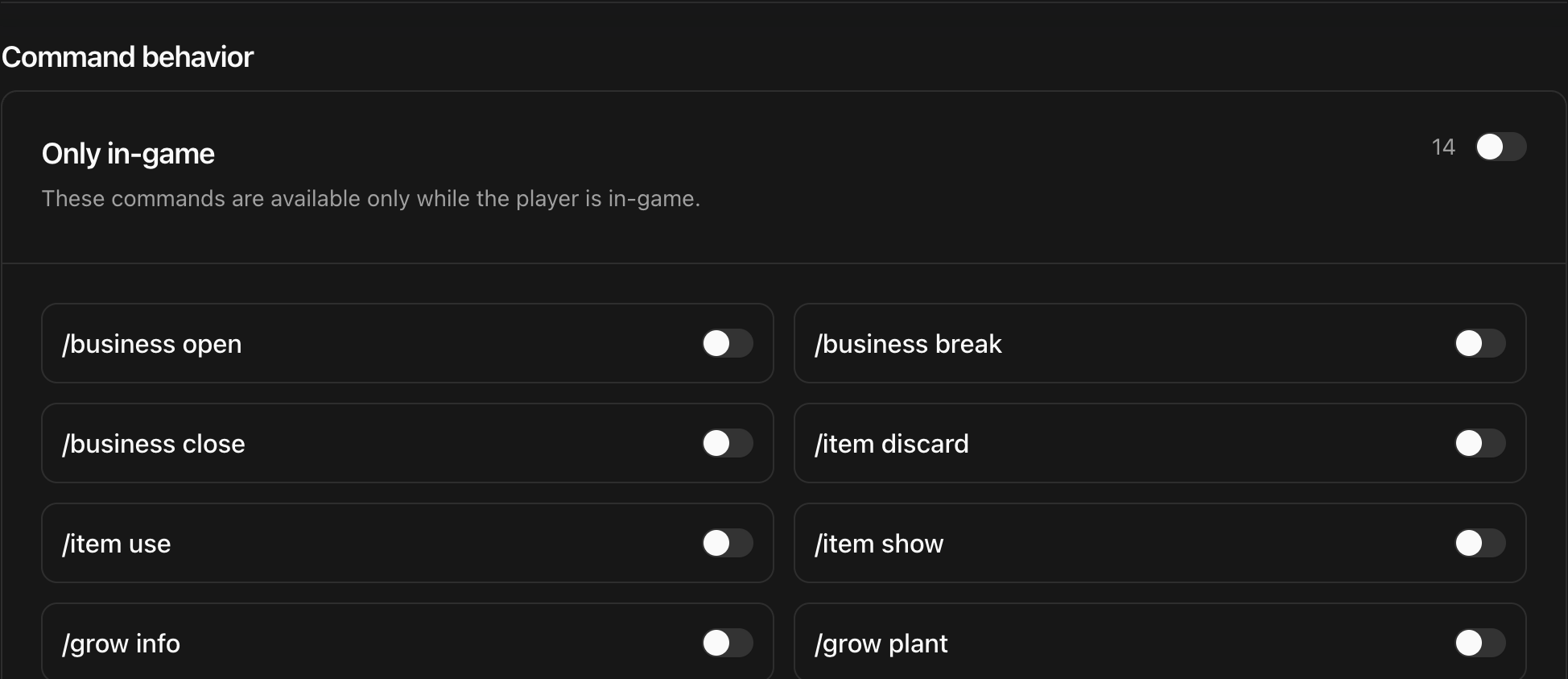
Use Only in-game for commands that should work only while the caller is in the linked ER:LC server. The available switches include business, item, growing, manufacturing, and police actions.
-
Use Only near a person for actions between two players, such as giving or confiscating an item, issuing a fine, or transferring a vehicle.
-
Enable or disable the whole card with its main switch, or change individual command switches.
-
Select the module-level Save and wait for Settings saved.
Expected result
- A command enabled under Only in-game requires the caller's active citizen to be linked to a Roblox player currently in the private server.
- A command enabled under Only near a person requires both linked players to be in the server and within
80studs.
Command names can follow the language selected for your server, so use the labels shown in the dashboard.
Next steps
Use Create ER:LC jobs to add location-based work for citizens.