Find CoreRP product updates
Read CoreRP's public changelog to see what changed in each published version.
Open the changelog
- Open the CoreRP Changelog, or select Changelog in the website's top navigation. On mobile, open the menu first.
- Read the cards from top to bottom. They are static and currently listed newest first; no sign-in, selected server, or dashboard permission is required.
Each card shows its version, update type, date, and a bullet list of changes. The current first card is version 3.1.0, dated May 17, 2026.
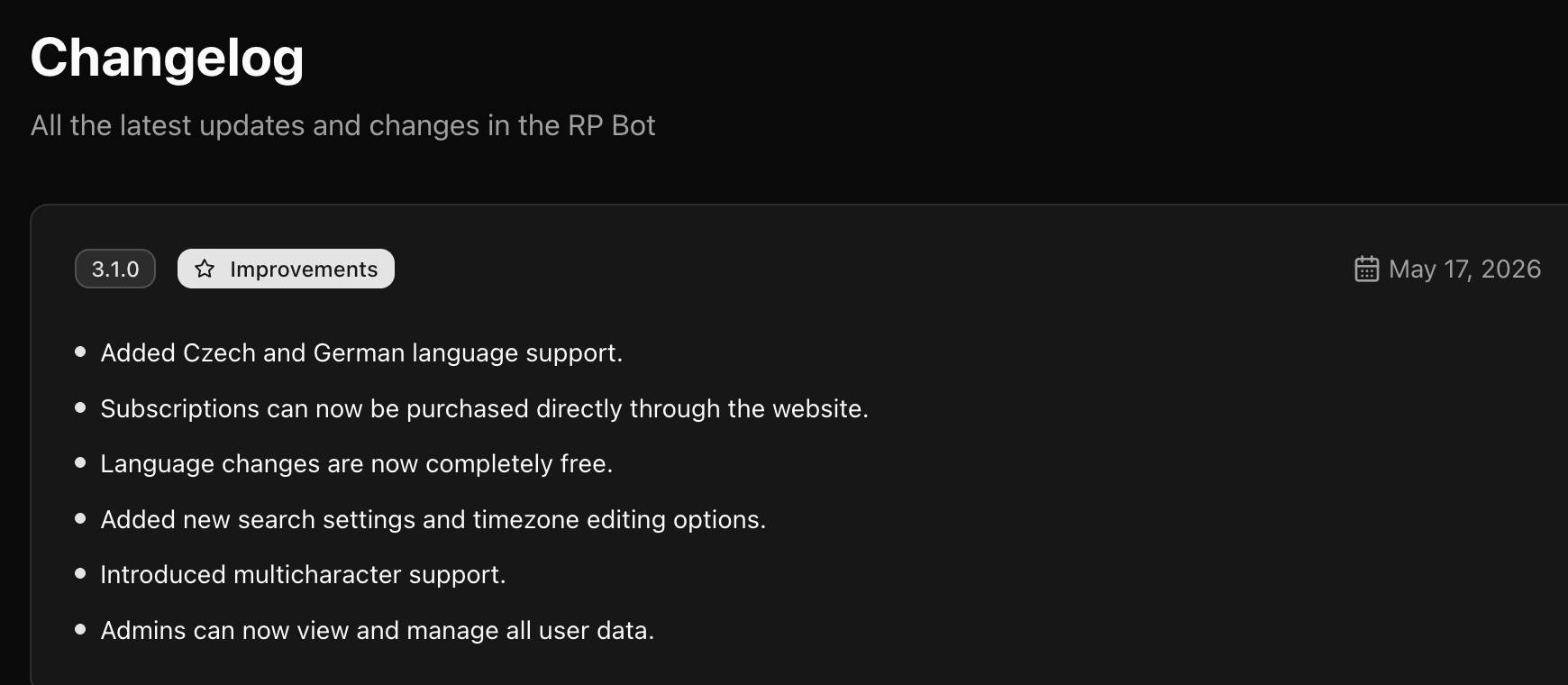
All cards appear on one page. There is no search, filter, sort control, pagination, release-detail link, or action button. Scroll to review older versions, or use your browser's page search to find a word.
Use the website's language control to switch between English and Slovak. The heading, dates, and complete release-card text change immediately. This changes only the website language; it does not update a Discord server or bot setting.
Next steps
Continue with Find and copy CoreRP commands for current command syntax and descriptions.