Give a citizen access to a feature
Use Manage perms to let one CoreRP citizen use a supported job, service, or command group.
Before you begin
- The member needs a CoreRP citizen and ID record.
- Open the module that owns the feature you want to grant.
Add a citizen
- Find the feature in its module and select Manage perms.
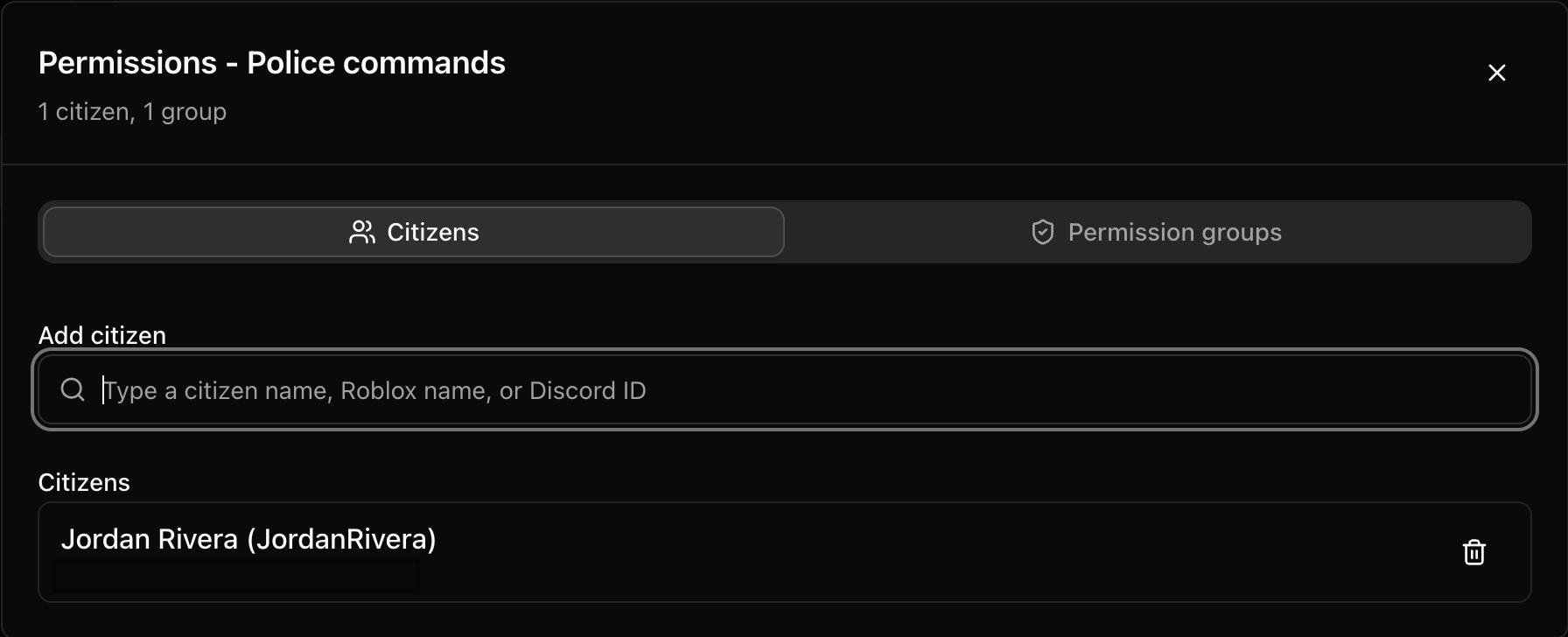
- In Permissions - [feature], open Citizens.
- Enter at least two characters in the search field. You can search by citizen name, Roblox username, or Discord identifier.
- Select the intended citizen and choose Add.
- Confirm that the citizen appears in the assigned list.
- Close the permissions window.
- Select the module's main Save button and wait for Settings saved.
The assigned count updates after the citizen is added. Reload the module and reopen Manage perms to confirm that the assignment remains.
Remove access
- Open Manage perms and Citizens.
- Select the remove action beside the intended citizen.
- Close the window and select the module's main Save.
Next steps
When several citizens need the same access, use Create and use a permission group.