Receive and resolve service calls
Respond to a routed service report, record its resolution, and correct the saved solution when necessary.
Before you begin
- An administrator must configure emergency-service routing, and you must be able to view the configured Dispatch channel.
- You need a grant from the matching Manage perms control: Police commands, Firefighter commands, Ambulance commands, City Police commands, or Road maintenance commands. A generic
112or911report accepts any one of Police commands, Firefighter commands, or Ambulance commands. - A direct grant or manually assigned permission group follows your currently active citizen. A Discord-role or Everyone group can authorize your Discord account without an active citizen.
- The configured alert role and action permission are separate. An alert-role mention does not grant access to Respond, Resolve, or Edit.
- CoreRP needs View Channel and Read Message History so it can fetch and update its report. Manage Messages is not required to edit a message that CoreRP created.
Mark yourself as a responder
- Open a service report in the Dispatch channel.
- Select Respond. CoreRP appends your mention under Responders: and privately confirms that you were added.
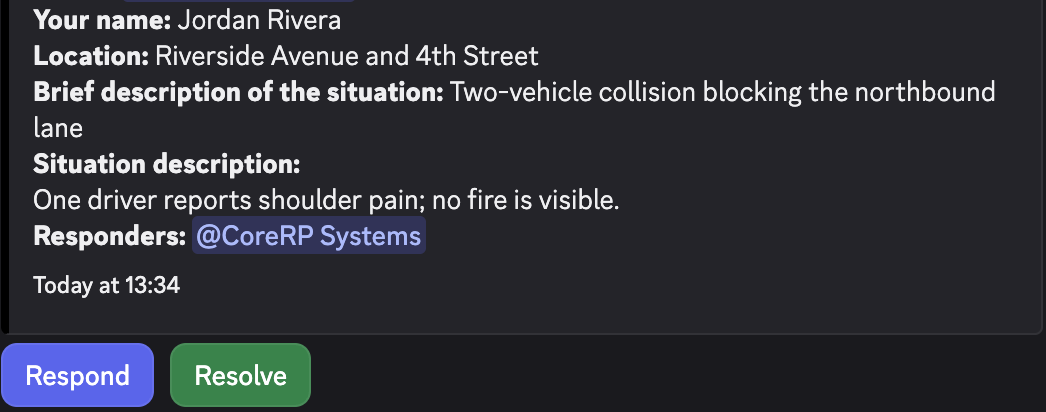
Different authorized staff members can respond to the same report. Select Respond only once, then check that your mention appears under Responders:.
Resolve the report
Resolving a report replaces Respond and Resolve with Edit. Confirm that the report is ready to be marked solved because there is no reopen action.
- Select Resolve. You can resolve a report without first selecting Respond.
- In the resolve modal, such as Resolve call 911 or Resolve call road, enter the required Solution description.
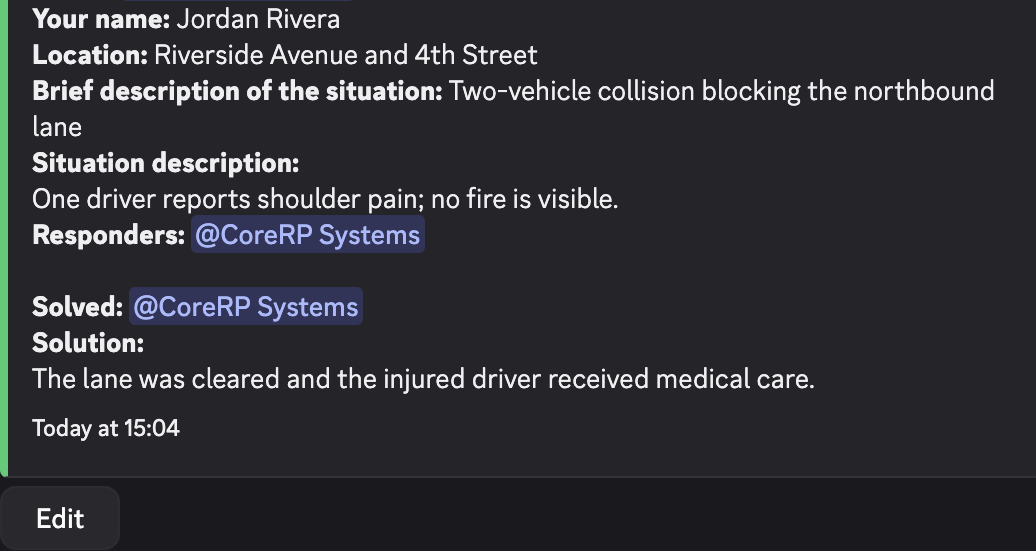
- Submit the modal. CoreRP turns the report green, adds Solved: with your mention and Solution: with the entered text, then replaces Respond and Resolve with Edit.
Edit the solution
Any member with the matching service permission can update the solution, not only the original responder. If two responders edit it, CoreRP shows the most recently saved text.
- Select Edit on a solved report.
- Update Edited solution description in the edit modal, such as Edit resolution for call 911 or Edit resolution for call road.
- Submit the modal. CoreRP replaces the current solution text and privately confirms the edit.
Troubleshooting
- You do not have permission to use this here. — ask an administrator to grant the matching Police commands, Firefighter commands, Ambulance commands, City Police commands, or Road maintenance commands permission through Manage perms. An alert role alone is insufficient.
Next steps
Review the responder's feature-permission assignment when they cannot use the report controls.