Manage a citizen's health effects
Review or correct health effects stored for a CoreRP citizen.
Before you begin
- You need owner or administrator dashboard access.
- Change health records only when you understand the intended roleplay state for the citizen.
- Deleting a row removes that effect after confirmation.
Add or edit a health effect
-
Select the server, open Users data, and choose the citizen.
-
Open Health.
-
Select Add, or edit an existing effect.
-
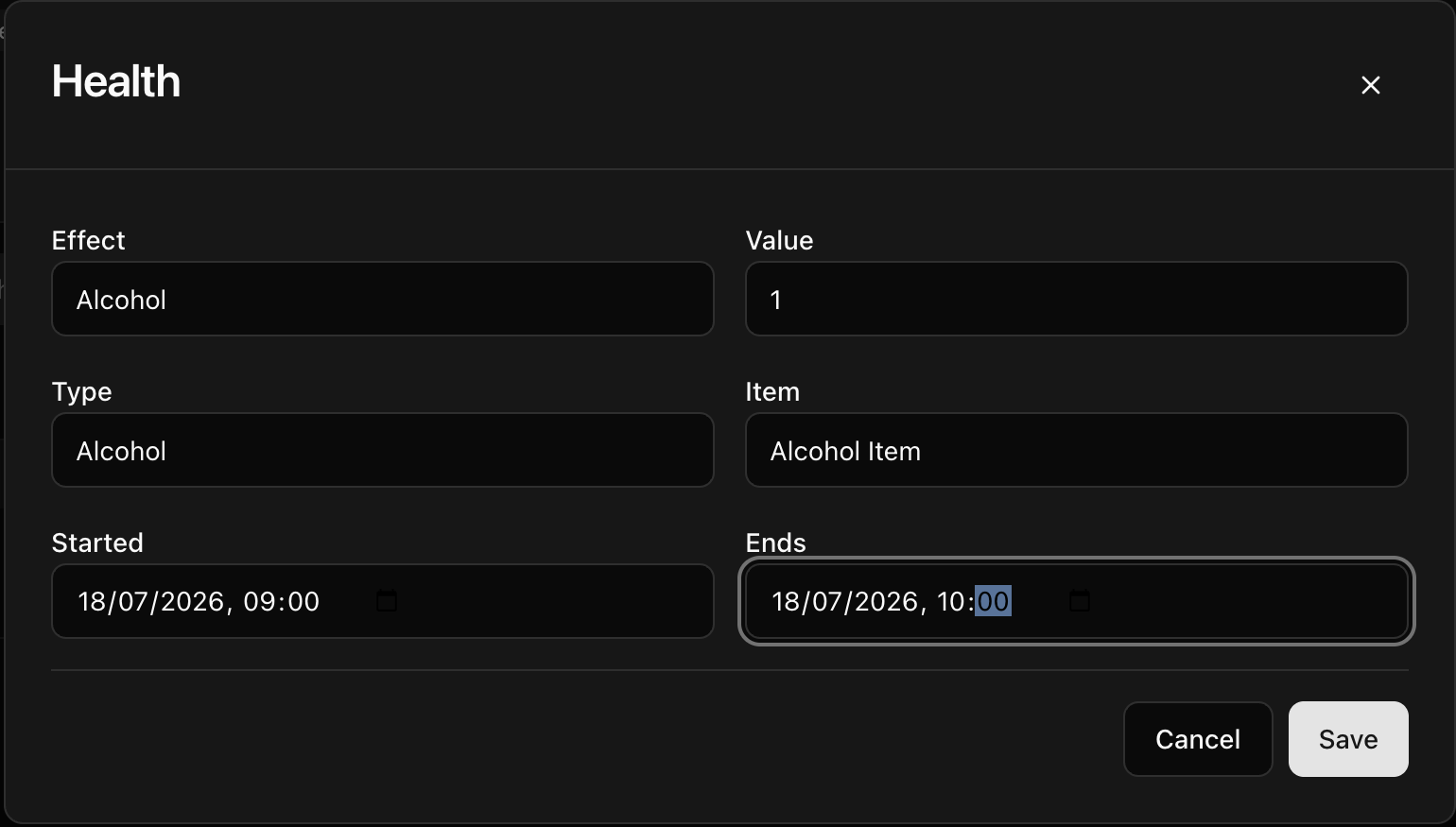
Complete the applicable fields:
- Effect — the effect name.
- Value — its numeric value.
- Type — the effect category.
- Item — the item associated with the effect, when applicable.
- Started and Ends — the effect period.
- Select Save. CoreRP confirms User data updated and refreshes the health table.
To remove an effect, select its delete action and confirm Delete this row?
Next steps
For member-facing item use, see Use clothing, medical, drug, and alcohol items.