Send automatic local-customer messages for a shop
Configure a shop to post rotating roleplay messages in a Discord thread as Local Citizen.
Before you begin
- Create the shop through Create and configure shops.
- Create or choose the destination Discord thread.
- Give CoreRP access to the destination thread, plus View Channel, Send Messages, and Manage Webhooks in its parent channel.
- Prepare at least one short, believable customer message.
Configure the messages
-
Open the CoreRP dashboard and select the server.
-
Open Module settings → CoreRP → Shops.
-
Edit the intended shop.
-
Select Local customers.
-
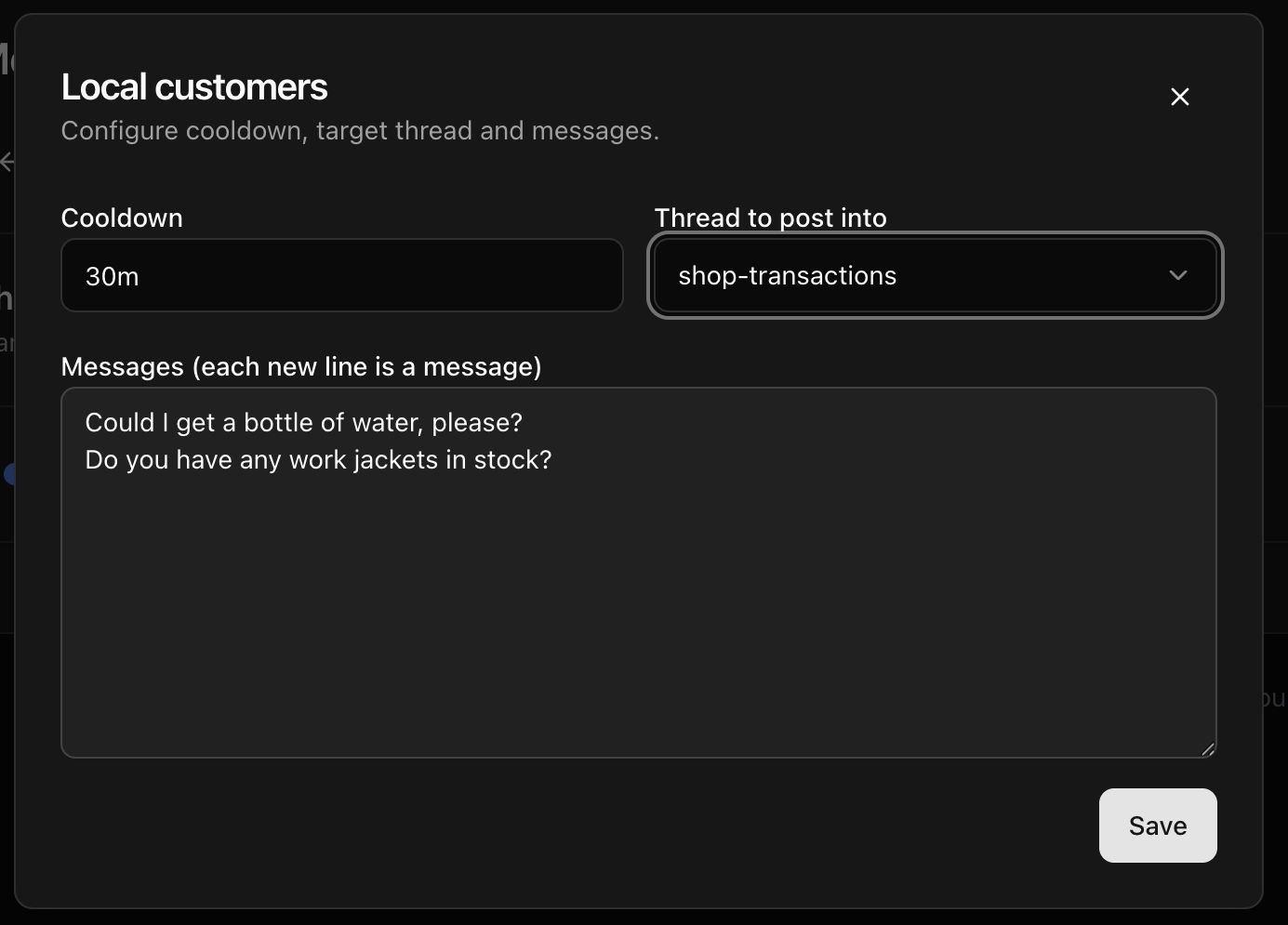
Under Cooldown, enter how often CoreRP should post. Use a value such as
30m,2h, or1d. The minimum is30m. -
Under Thread to post into, choose the destination thread.
-
Under Messages (each new line is a message), enter one message per line. For example:
Could I get a bottle of water, please?Do you have any work jackets in stock?
-
Select Save in the Local customers window.
-
Select the Shops module's main Save and wait for Settings saved.
Expected result
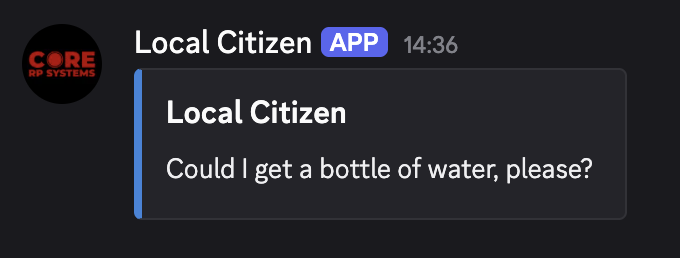
After the selected interval, CoreRP posts one of the configured lines in the thread through a webhook named Local Citizen. It randomly chooses one configured line on each interval.
Next steps
Use Buy items and vehicles or sell items to a shop for the customer purchase workflow.