Buy and sell through CoreRP shops
Buy from a published shop or sell an inventory item to a buyback shop.
Before you begin
- Select the CoreRP character that will use the shop.
- The character needs a primary bank account. Check it with View your balance and pay another citizen.
- An administrator must configure and publish the shop in an accessible channel.
- Leave enough space in the active character's inventory for item purchases.
An ER:LC area restriction requires the saved Roblox account to be online inside the configured area.
Buy from a shop
A completed purchase charges the primary account immediately with no member-facing undo. Check the product, quantity, and price first.
-
Open the public shop panel.
-
Select the product. Shops with up to
10products use buttons; larger shops use selection menus. One panel can show at most the first125configured products.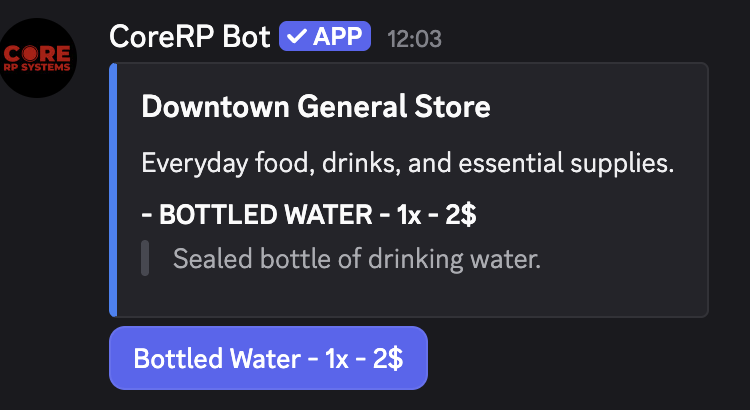
-
If Enter quantity to buy opens, enter a positive whole number of up to six digits and submit it. If no quantity form opens, selecting the product completes the purchase immediately.
-
Confirm the purchased item and total charged in the private result. If you entered a quantity, run
/inventoryto confirm the resulting item count.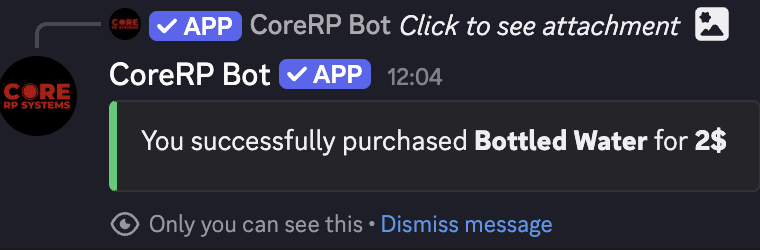
An ordinary item enters inventory. A Car appears in the garage as unregistered. A non-stackable item is rejected when already held.
The private result shows the charged total. Use /bank account when you need the current primary balance.
Sell to a buyback shop
Submitting the quantity removes the item and pays the primary account immediately, with no final confirmation or member-facing undo.
- Open a published buyback shop and select the item.
- In Enter quantity to sell back, enter a positive whole number of up to six digits.
- Submit the form. CoreRP privately confirms the quantity removed and total paid.
The character must hold enough visible copies. A linked shop account must contain enough money for the payout.
Troubleshooting
- You do not have an ID card — create or select the intended character and confirm it has a primary account.
- You do not have enough money — check the primary balance before buying again.
- You already have ... — the product is non-stackable; use or remove the existing item first.
- Weight limit exceeded — reduce the quantity or free inventory space.
- You need ... to sell — check the exact visible item name and available quantity.
- The shop does not have enough funds — ask an administrator to fund or change its linked account.
- An ER:LC area error — join the linked private server with the saved Roblox account and move inside the configured area.
Next steps
Learn how to view your inventory and item details, or ask an administrator to update the shop configuration.