Create manufacturing and growing recipes
Create the recipes that determine which items members consume, what they receive, and how long production takes.
Before you begin
- You need dashboard owner or administrator access to your Discord server in the CoreRP dashboard.
- Create every input and output in Create and configure inventory items first.
- To use a recipe in Discord, the active character needs every required input in their personal inventory.
- In the command channel, CoreRP needs Discord's View Channel, Send Messages, and Embed Links permissions.
Starting a recipe removes its inputs immediately. A member can run one Growing job and one Manufacturing job at the same time, but Preparing, Weapons, and Explosives share the single Manufacturing queue.
Create a recipe
-
Open the CoreRP dashboard and select your Discord server.
-
Open Module settings, then select Manufacturing.
-
Select the group that matches the result you want:
- Growing adds the recipe to
/growroom plant item:<recipe>. - Preparing adds it to
/manufacturing prepare product:<recipe>. - Weapons adds it to
/manufacturing assemble weapon type:<recipe>. - Explosives adds it to
/manufacturing assemble bomb type:<recipe>.
- Growing adds the recipe to
-
Select Create recipe.
-
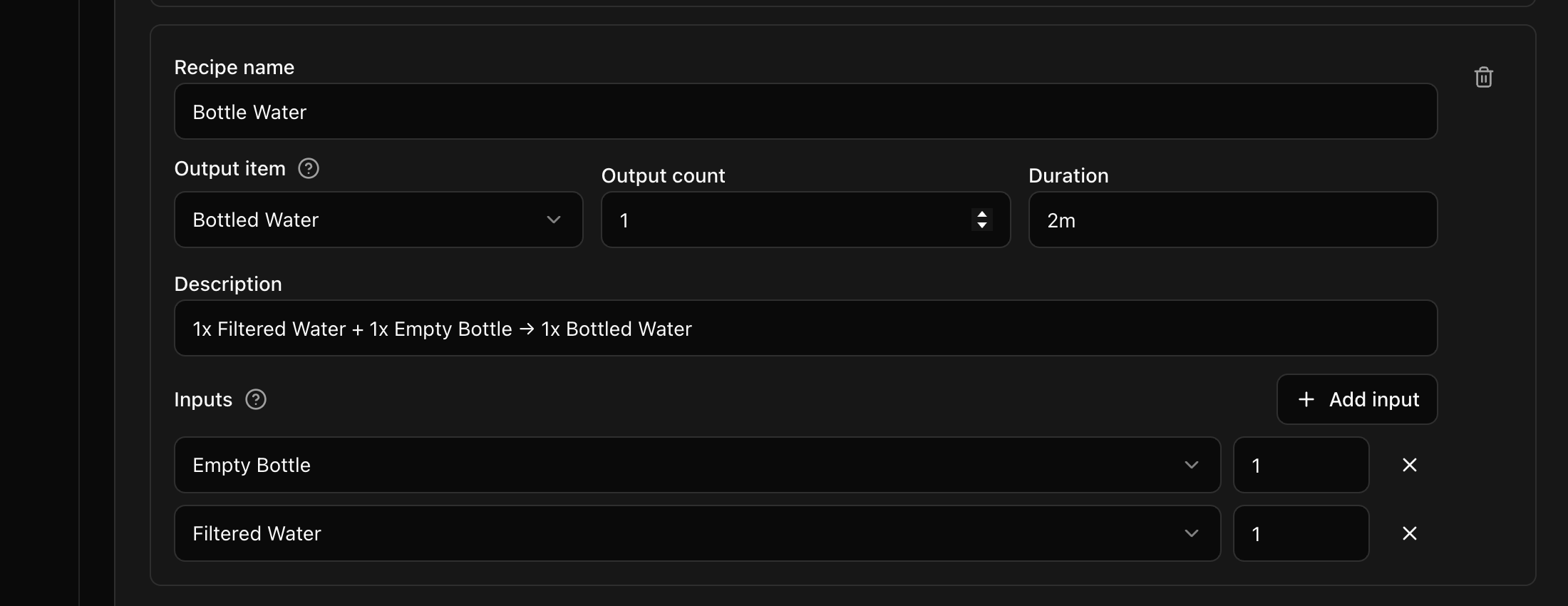
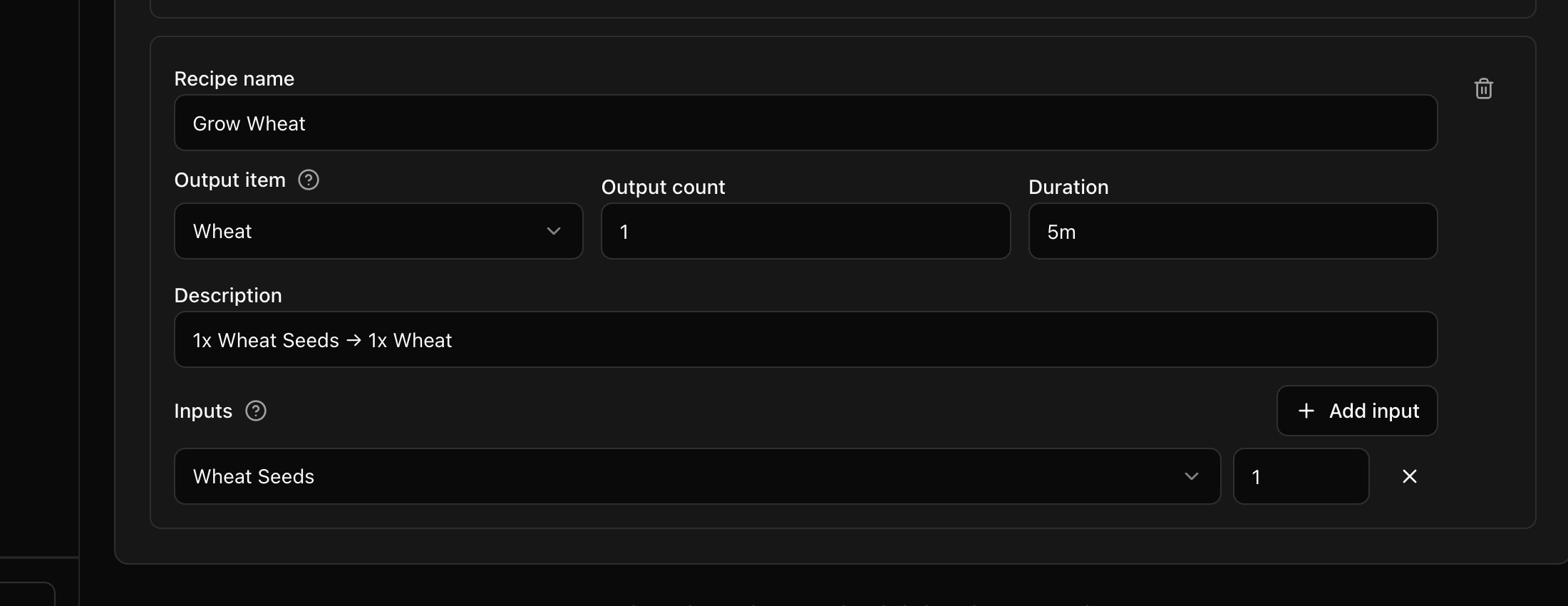
Complete the recipe card:
- Recipe name is the name members see in Discord autocomplete. If left blank, it falls back to the output item name or a generated
Recipe Nname. - Output item is the item added after collection, and Output count is how many are added. The count must be at least
1. - Duration accepts whole-number seconds such as
60, or a value with seconds, minutes, hours, or days such as60s,3m,2h, or1d. If left empty, Growing and Preparing use two hours, while Weapons and Explosives use 30 minutes. - Description is an administrator note. It is saved, but it is not shown in Discord.
- Under Inputs, select each item the recipe consumes and enter a count of at least
1. Use Add input when the recipe requires more than one item, or Remove input to remove a row. Blank and duplicate input rows are removed when the recipe is saved.
- Recipe name is the name members see in Discord autocomplete. If left blank, it falls back to the output item name or a generated
You can save up to 150 recipes across all four groups. Recipe and input removals take effect when you select Save.
The examples use two River City recipes: Grow Wheat converts one Wheat Seeds into one Wheat, while Bottle Water converts one Filtered Water and one Empty Bottle into one Bottled Water.
- Select Save, reload the page, and confirm the recipe remains in the selected group.
A saved 1s duration still runs for one second, even when Discord shows a rounded time estimate.
Troubleshooting
- If a recipe does not appear in autocomplete, confirm that you created it in the group for that command, selected valid input and output items, and saved the dashboard.
- If CoreRP reports missing materials, place every configured input quantity in the member's personal inventory before starting the recipe.
- If a job is already in progress, finish it with Harvest or Collect before starting another job in the same queue.
- Harvest and Collect use a
30 kgpersonal-inventory limit, regardless of the dashboard Weight limit setting. Remove enough items before collecting the output. - If the command is unavailable, check the server's command-role, command-channel, cooldown, and optional ER:LC in-game rules.
- If no RP Logs entry appears after a successful result, confirm that a Core log channel is configured and CoreRP has View Channel, Send Messages, Embed Links, and Manage Webhooks there.
Next steps
Continue with Grow plants and prepare materials or Assemble weapons and explosives for the complete member workflows.