Manage a citizen's email addresses and phone number
Add, correct, or remove the contact details stored for a CoreRP citizen.
Before you begin
- You need owner or administrator dashboard access.
- The member must already have a CoreRP citizen record.
- Deleting a contact removes it after confirmation.
Open Contacts
- Select the server and open Users data.
- Find the citizen and open their details.
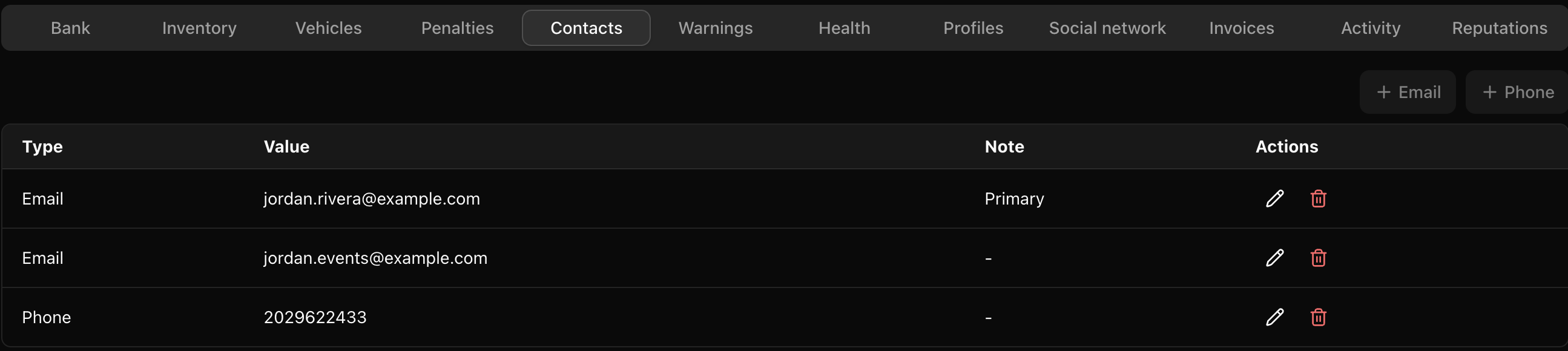
- Select Contacts.
Manage email addresses
- Select Email to add an address, or use the edit action beside an existing email.
- Enter the email address.
- Enable Primary when this should be the citizen's main address.
- Select Save.
A citizen can have up to two email addresses and one primary email.
Manage the phone number
- Select Phone to add a number, or edit the existing phone row.
- Enter the phone number and select Save.
A citizen can have one CoreRP phone number.
CoreRP confirms User data updated and refreshes Contacts after a successful change. To remove a contact, select its delete action and confirm Delete this row?
Next steps
Members can use these records through CoreRP email and phone commands.