Lock and unlock ER:LC jail cells
Lock or unlock a configured ER:LC jail cell from Discord and confirm the physical cell state in the private server.
Before you begin
- An administrator must use Manage perms in Emergency Services & Phone to grant you either Police commands or City Police commands.
- Connect CoreRP to your ER:LC server with a valid saved key, authorized Remote Server Management, and an online private server.
- The seven exact layout names must already exist in that ER:LC server.
/police jailand/policemust be enabled. Use the command in the configured channel.
Choose the cell and action
Run /police jail cell:<cell> action:<action>.
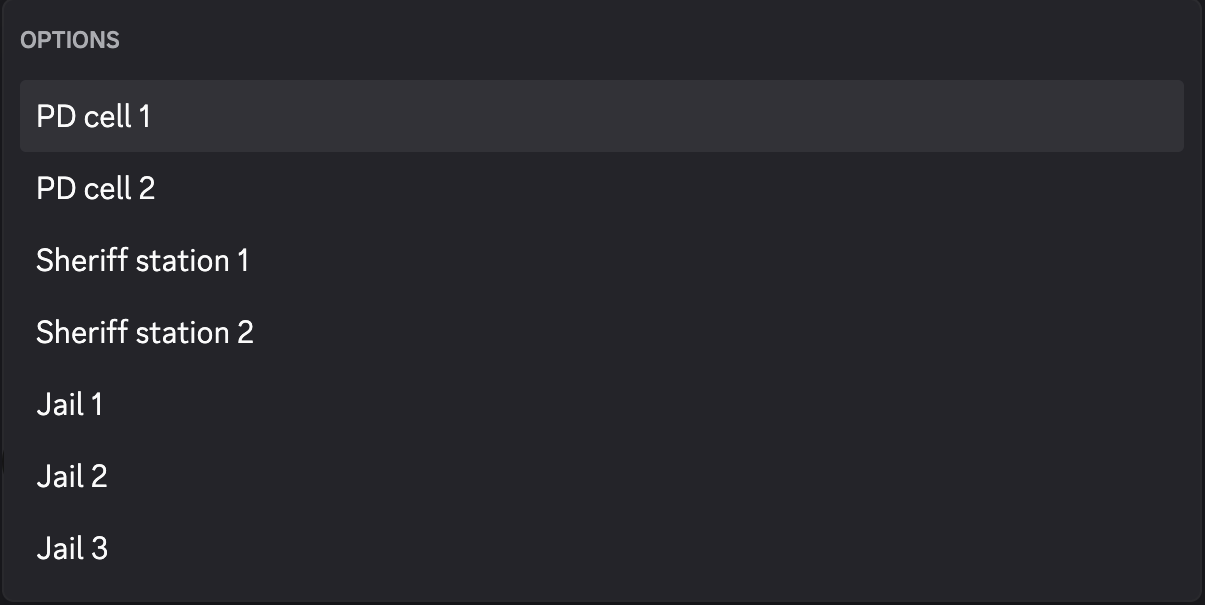
The Cell option offers exactly:
- PD cell 1
- PD cell 2
- Sheriff station 1
- Sheriff station 2
- Jail 1
- Jail 2
- Jail 3
The Action option offers exactly:
- Close cell — loads the cell layout.
- Unlock cell — unloads the cell layout.
There is no target, preview, or confirmation.
Lock a cell
- Run the command with the intended cell and Close cell.
- Confirm the private result says the cell was locked.
- Inspect the cell in ER:LC and confirm it is closed.
Unlock a cell
- Run the same command with Unlock cell.
- Confirm the private result says the cell was unlocked.
- Inspect the cell in ER:LC and confirm it is open.
Troubleshooting
- ER:LC extension disabled — enable and save the extension before retrying.
- ER:LC API key is not set; the command was not sent — reconnect the private server and save its key.
- A cooldown response — wait for the displayed cooldown before retrying.
- The ER:LC private server is currently offline — start the connected private server before retrying.
- A generic layout error — check the saved key, authorization, private-server availability, and exact layout before retrying.
Next steps
Continue with add, remove, and view vehicle documents.