
Review and manage criminal records
Open a fine or punishment, update it, deactivate it, or remove it.
Before you begin
- You need Police commands or City Police commands and the command access described in Search citizens, garages, and police records.
- Editing, deactivating, or reactivating requires the character that owns the record to be active.
Delete record removes the record immediately with no confirmation or undo. Copy the ID and verify the intended record before selecting it.
Record buttons and their modals are limited to the member who opened the detail.
Open the record
- Run
/police criminal-record target:<member>. - Copy the exact fine or punishment ID.
- Run
/police record id:<record-ID>.
The private detail provides Edit record, Delete record, and either Deactivate record or Activate again.
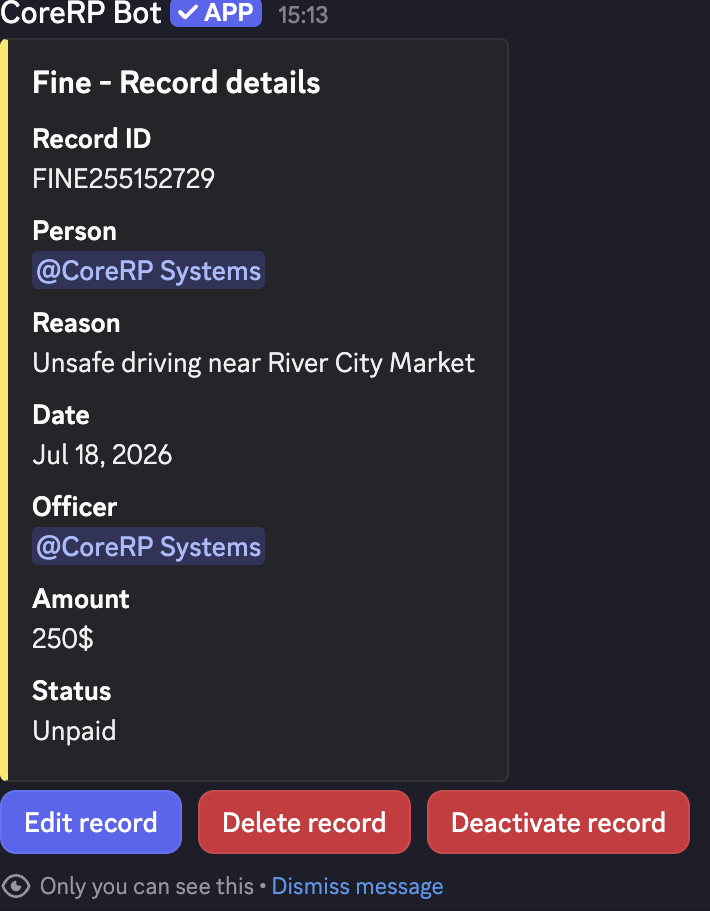
Edit a record
-
Select Edit record.
-
Update the fields you need:
- Fine: Reason, Amount, and Paid (true/false).
- Punishment: Reason, Punishment type, Punishment length in days, and Completed (true/false). Leave the prefilled type unchanged unless you intend to rename it.
-
Submit the modal. CoreRP privately shows Record updated. Run
/police record id:<record-ID>again when you want to see the updated details.
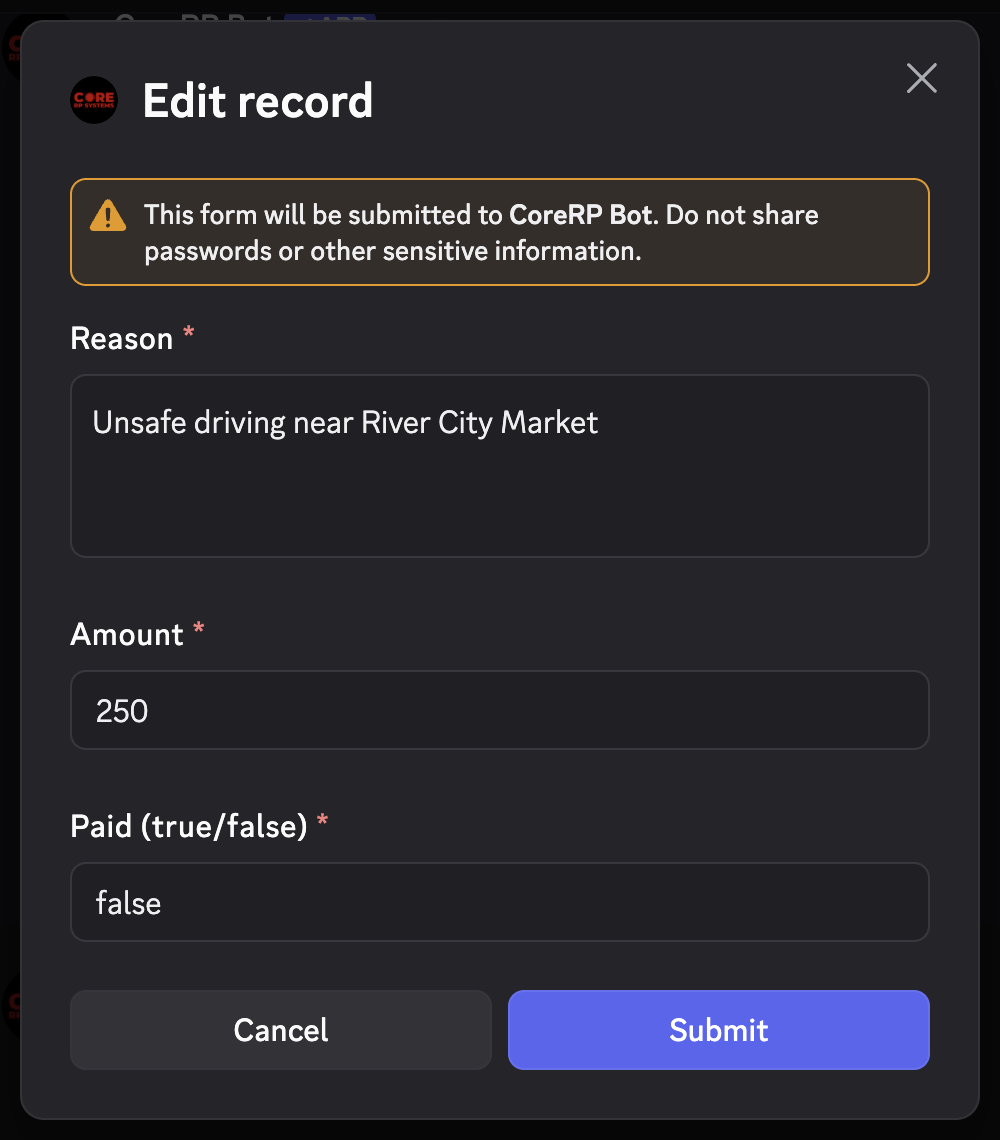
Use only true or false for status fields. Enter a whole-number amount or length. Marking a fine paid changes its status but does not transfer money.
Deactivate, reactivate, or delete
- Select Deactivate record, enter the required reason, and submit. The record stays in the private register but no longer counts as active on the public profile.
- Reopen the record and select Activate again to clear its deactivation details.
- Select Delete record only after confirming the ID and details. CoreRP removes it immediately.
Troubleshooting
- No record with this ID was found — copy the current ID exactly from the same server's criminal register.
- These buttons are not for you — rerun the detail command from the account that will manage the record.
- User was not found in the database — ask the target to activate the character that owns the record.
Next steps
Continue with manage jail cells.