Use the roleplay attempt command
Publish a random yes-or-no result for a short roleplay action.
Before you begin
- Complete CoreRP setup.
/trymust be enabled and allowed in the channel where you use it.
You do not need a CoreRP character or target member.
Attempt an action
Run:
/try action:<action>
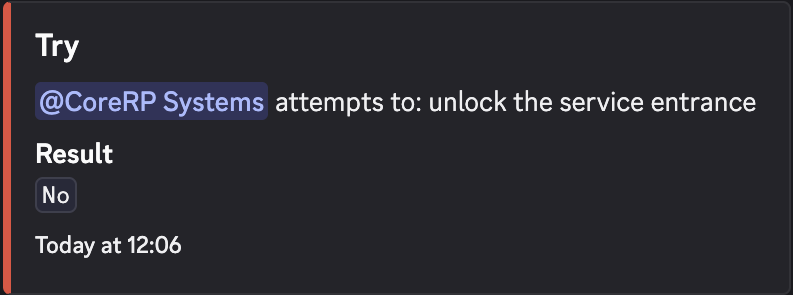
action is the only option and is required. Enter a short action, for example /try action:unlock the service entrance.
CoreRP publishes a public Try result that identifies you, repeats the action, and shows Result as Yes or No. Accept the first result instead of repeating the command for a preferred outcome.
Troubleshooting
- Please enter a valid action. — enter non-whitespace text.
- A channel or role error — use a channel and role allowed for
/try. - A cooldown response — wait for the displayed time before trying again.
Next steps
Use the dashboard to find other CoreRP commands and their options.