
Claim a CoreRP social benefit
Claim the social-benefit reward for your active CoreRP character.
Before you begin
- Create and select your CoreRP character.
- Your active character needs a main bank account. Use
/bank accountas described in View your balance and pay another citizen to check it. - An administrator must configure social benefits and publish the Social Benefit panel.
- Use a channel allowed by the server's CoreRP command-access rules.
After a successful claim, the same Discord account must wait 24 hours before claiming again, including when another character is active. The Faction owner reward applies only when the active character has an enabled faction Owner or Director permission; a Discord role by itself does not qualify.
Claim the benefit
- Open the public Social benefit panel. It lists the Standard benefit and Faction owner rewards.
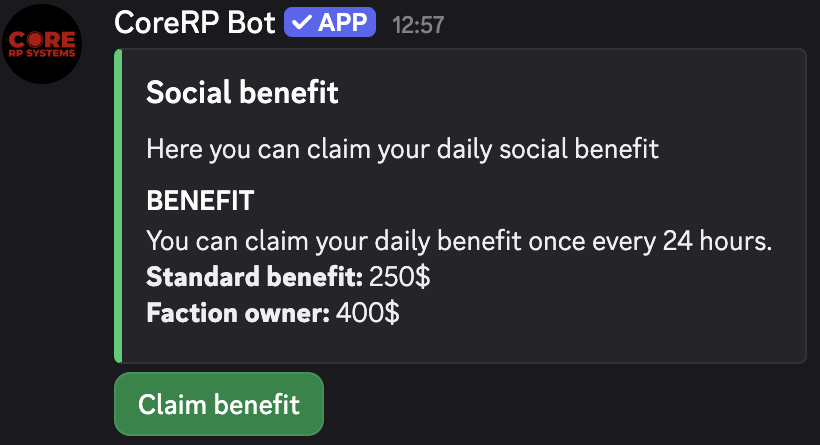
- Select Claim benefit.
- CoreRP privately confirms the amount and currency and adds the current eligible reward to the active character's main account.
CoreRP shows the remaining wait if you try to claim again before the benefit becomes available.
Troubleshooting
- CoreRP reports that you must wait — the same Discord account has already claimed a benefit during the 24-hour wait.
- You receive an ID-card or processing error — select the intended character and confirm that it has an updatable main bank account.
- Server setup required, This command is currently disabled., or You do not have permission to use this here. — complete setup, enable the benefit feature, or use an allowed channel.
Next steps
Continue with View your balance and pay another citizen.