Call another citizen or emergency service
Use your CoreRP phone number to call another citizen or submit an emergency, Road maintenance, or Taxi request.
Before you begin
- Create a phone number for the active character and keep a positive quantity of a Phone-category item in its inventory.
- For service calls, an administrator must configure the dispatch channel, Taxi thread, and alert roles.
- For citizen calls, both participants need Connect and Speak in the created voice channel.
/phonehas no staff permission requirement, but it must be enabled and allowed in the current channel.
Call another citizen
- Ask the recipient for the number shown by
/phone my-number. - Run
/phone call number:<phone number>. Spaces, hyphens, and parentheses are accepted. - CoreRP creates a private voice channel for the caller and recipient and posts a public call message with End call.
- Join the channel; CoreRP does not move either participant automatically.
- Select End call when finished. CoreRP deletes the channel and changes the message to The call has ended. An unanswered citizen-call channel is deleted after
30minutes.
The recipient needs an active character with that number but does not need a Phone item. Neither participant can already be in another regular CoreRP call.
Call an emergency service
Service numbers follow the server's saved country:
- Slovakia, Czech Republic, and Germany:
112emergency,158Police,150Firefighters,155Ambulance,159City Police,0940242717Taxi, and0917626485Road maintenance. - USA - California, USA - Texas, and USA - New York:
911emergency,2025550123Taxi, and2025550142Road maintenance. - United Kingdom:
999emergency and03001231234Road maintenance.
-
Run
/phone call number:<service number>. -
Complete the displayed modal:
- Emergency: Your name, Location, and Brief description of the situation; Situation description is optional.
- Road maintenance: Your name, Problem location, and Brief description of the problem; Problem description is optional.
- Taxi: Your name, Pickup location, and Destination; Note is optional.
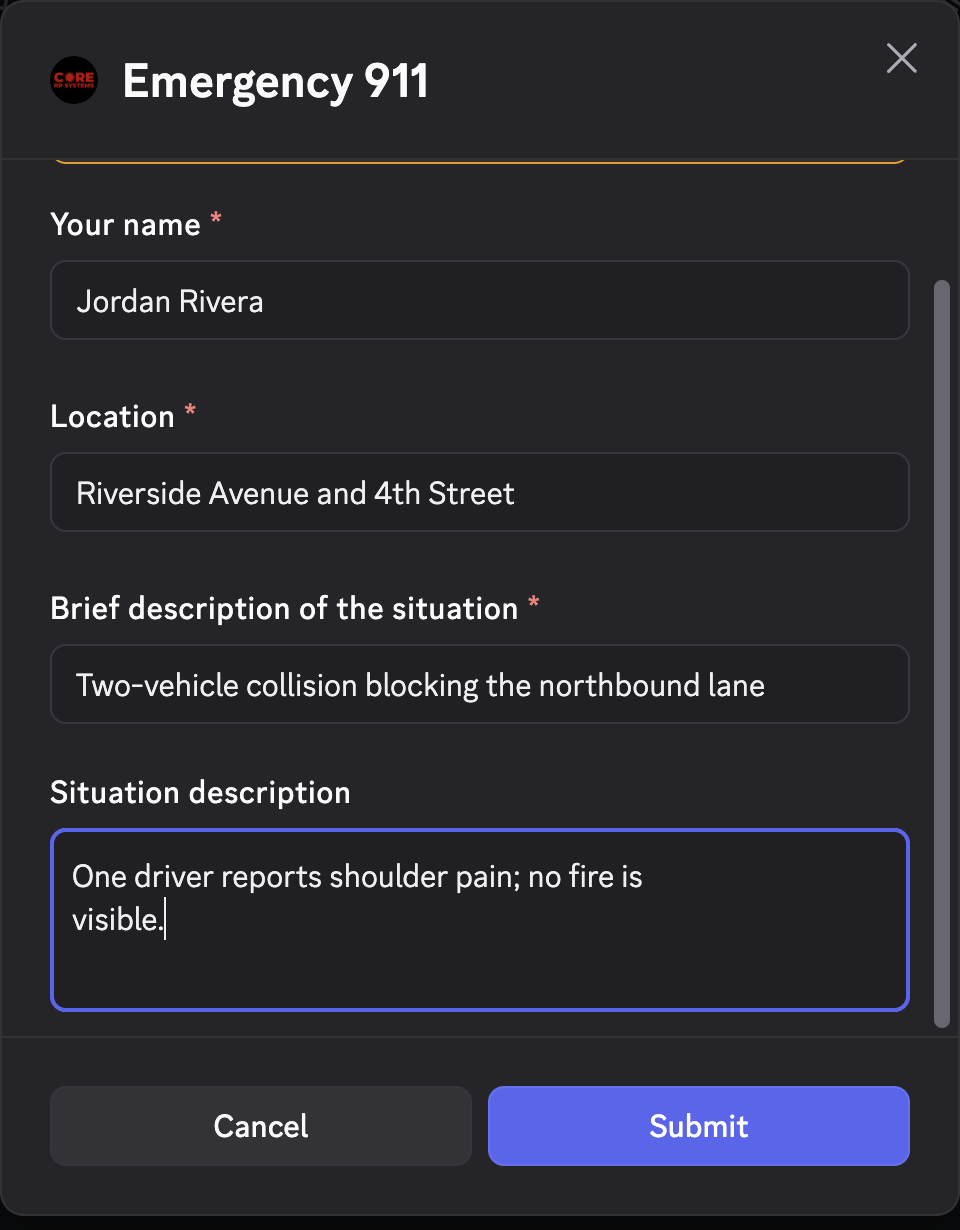
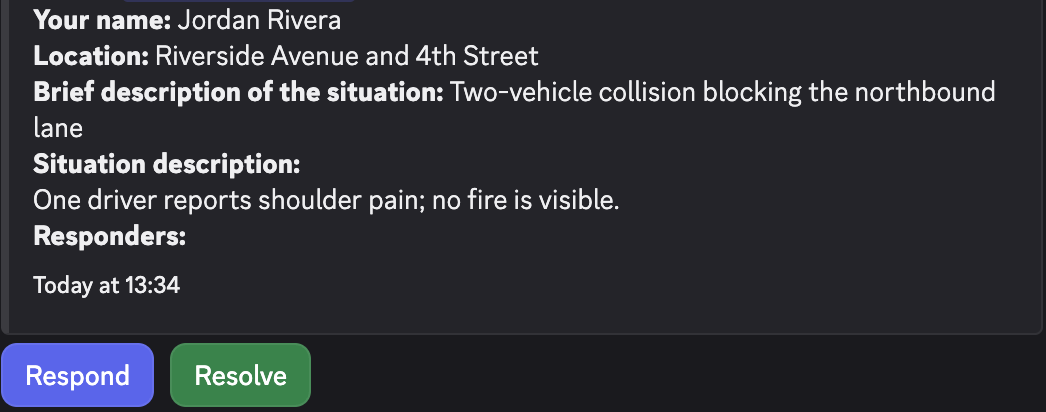
- Submit the modal. Emergency and Road reports appear in dispatch with Respond and Resolve. Taxi requests appear in the Taxi thread without action buttons. The caller's channel receives a public success response.
Calling does not charge money or consume the Phone item.
Troubleshooting
- A cooldown response — wait for the displayed cooldown before retrying.
- An ID, Phone item, or phone-number error — select the intended character, obtain a Phone-category item, or create its number.
- This phone number does not exist! — copy the number from the recipient's
/phone my-numberresult and confirm that character remains active. - You cannot call your own number. or an active-call response — use another number or end the existing call first.
- A missing emergency line, dispatch channel, or Taxi destination — ask an administrator to check the saved country, routing destination, and CoreRP permissions.
Next steps
Learn how authorized staff receive and resolve service calls.