Send and read CoreRP email
Send a CoreRP email from your active character and read it in the recipient's Discord direct messages.
Before you begin
- Complete CoreRP setup.
- Your active character must hold an item currently configured as a phone and have at least one address from Create and list your CoreRP email accounts.
/emailrequires the Discord Send Messages permission. Your server's command enabled, channel or role access, and configured cooldown rules must also allow it.- The recipient address must belong to an active character in the same Discord server. The recipient does not need a phone item, but CoreRP must be able to send that Discord member a direct message.
Do not include personal or sensitive information. When Core log is configured, everyone who can read it can see the sender and recipient, recipient address, full subject, and full message content.
Send an email
- Run
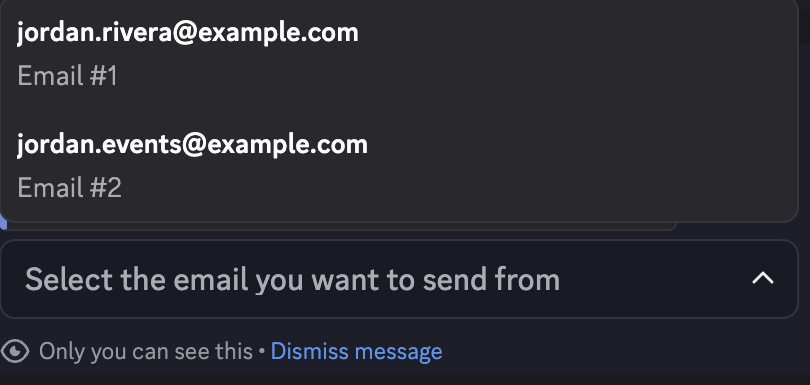
/email send. This command has no options. - Under Select the email you want to send from, select one of your active character's addresses.
-
Complete all three required fields in the Send email modal:
- Recipient email address — enter an address registered to an active character in this server. You may send to your own address or another member's address.
- Email subject — enter a short description, such as
Auto show schedule. - Email content — enter the message the recipient should read, such as
The Liberty County Auto Show is on July 31 from 12:00 PM to 2:00 PM at River City Convention Center.
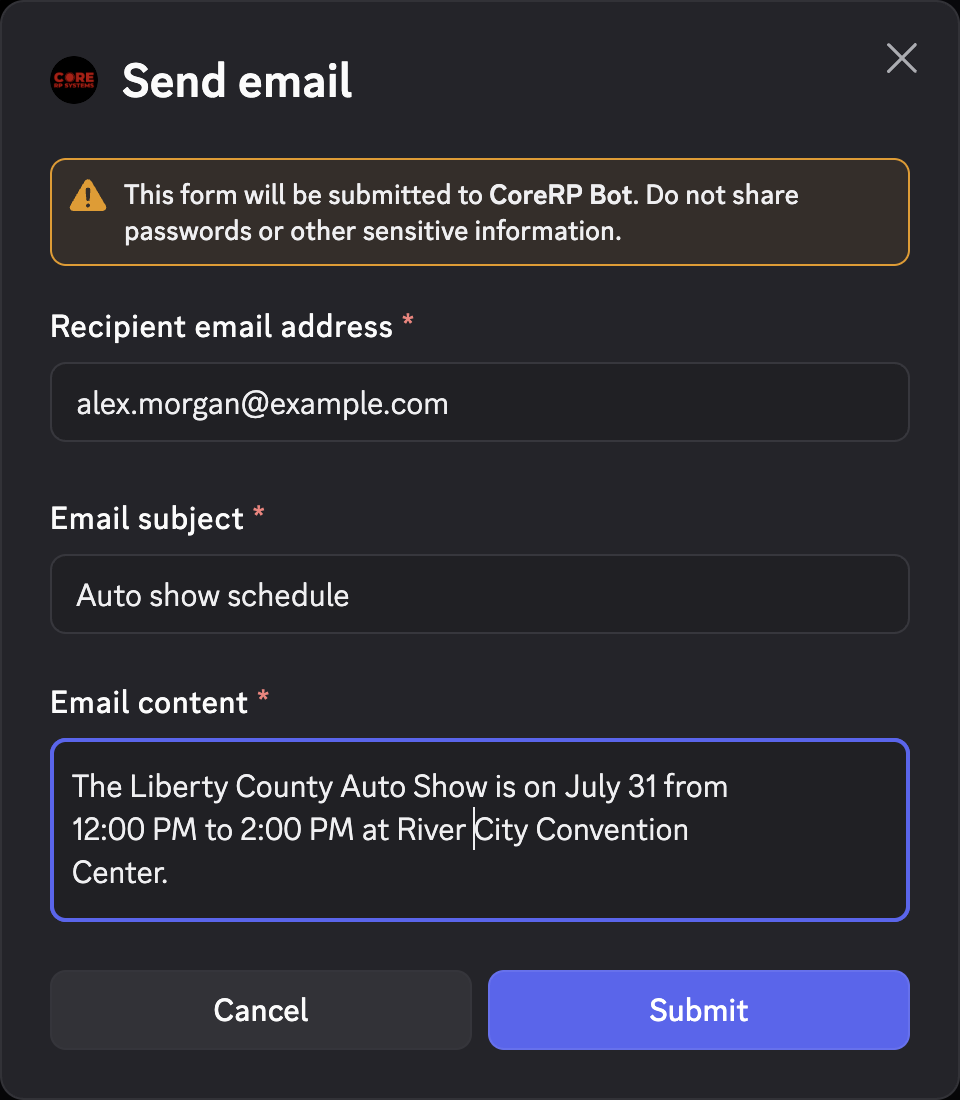
Complete the selector and modal within 5 minutes of starting /email send; after that, restart the command.
- Select Submit. After delivery, CoreRP privately confirms the recipient, sender, subject, and content.
Read the email
The recipient reads the message in a Discord direct message from CoreRP Bot. The New Email message shows From, To, Email subject, Email content, and the originating Discord server.
Troubleshooting
- You do not have a citizen ID, You need to have a phone in your inventory to use the email system, or You do not have any email created! — select the intended character, confirm its phone item, and create or list its address using the linked prerequisite.
- Invalid recipient email format! Try again. or Recipient with this email was not found! — confirm the exact registered address, then restart
/email send. - If the recipient does not receive the message, ask them to allow direct messages from CoreRP Bot.
- Please wait … before sending another email. — wait the remaining fixed send cooldown before restarting.
Next steps
Administrators can remove an unused address with Delete a member's CoreRP email account.