Create a second bank account
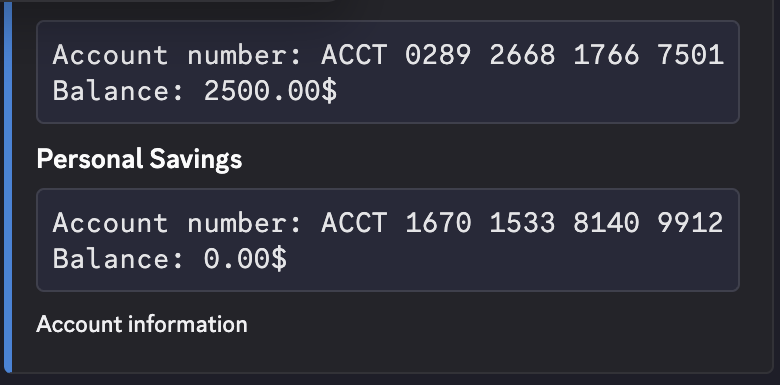
Create a secondary account for your active character, then confirm its account number and zero starting balance.
Before you begin
- Complete CoreRP setup and select the character that should own the account.
- Your active character must already have a main bank account and must not have a secondary account. Confirm the current accounts with View your balance and pay another citizen.
/bankhas no staff permission requirement. Your server's command enabled, channel or role access, and configured cooldown rules must allow it.
Create the account
- Run
/bank create-second-account name:<account name>. - Enter a clear
namebetween3and20characters, such asSavings. - Send the command. CoreRP privately shows the name, generated account number or IBAN, and an initial balance of
0in your server's currency.
Creating the account does not change your main-account balance. If your server uses a Core log channel, CoreRP needs View Channel, Send Messages, and Embed Links to record the account creation there.
The new account appears in /bank account with the same identifier and a 0.00 balance. You can now select Secondary account when making payments or using another banking feature that offers an account choice. See View your balance and pay another citizen for payment instructions.
Troubleshooting
- You do not have a citizen ID. — create or select the character that should own the account.
- You must first create a main account. — confirm that the active character has its main account before trying again.
- You already have a second bank account! — run
/bank accountand use the existing secondary account. CoreRP normally allows one secondary account per active character. - Server setup required, This command is currently disabled., You do not have permission to use this here., or a cooldown response — finish setup, enable
/bank, use an allowed channel or role, or wait for the configured command cooldown.
Next steps
Continue with Deposit and withdraw cash at the ATM.