Buy and receive TicketPortal event tickets
Choose an event ticket, confirm the payment or reservation, and receive the ticket in Discord.
Before you begin
- Create and select the CoreRP character that will own the ticket. The active character needs a primary bank account, even for a free ticket. Keep that character active until confirmation finishes.
- For a paid ticket, confirm that the primary account has enough money with View your balance and pay another citizen.
- Create an address such as
jordan.rivera@example.comwith/email create, then confirm it with/email list. See Create and list CoreRP email accounts. - An administrator must configure the event and publish its Ticketportal.com panel. Ticket purchasing and the panel channel must allow you to use the controls.
- Allow Discord direct messages from server members so CoreRP can deliver the ticket.
Enter your own registered address so the ticket is delivered to you.
Buy the ticket
- Open the public Ticketportal.com panel and select Buy ticket for the event.
- If CoreRP asks, select the event date and ticket type. For example, select General Admission for the Liberty County Auto Show.
- Enter a quantity from
1through5and your registered email address. - Review the private confirmation. Check the displayed date, ticket type, and total. The quantity comes from the form you just submitted.
- Select Confirm payment for a paid ticket or Confirm reservation for a free ticket. Select Cancel to stop.
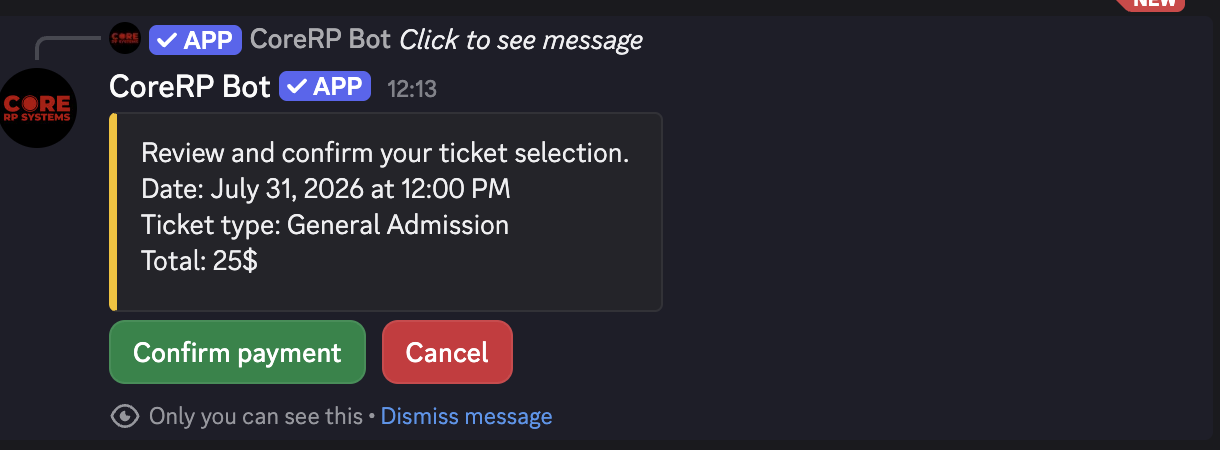
The confirmation lasts 15 minutes and can be used once. Review the displayed date, ticket type, and total before confirming.
Receive the ticket
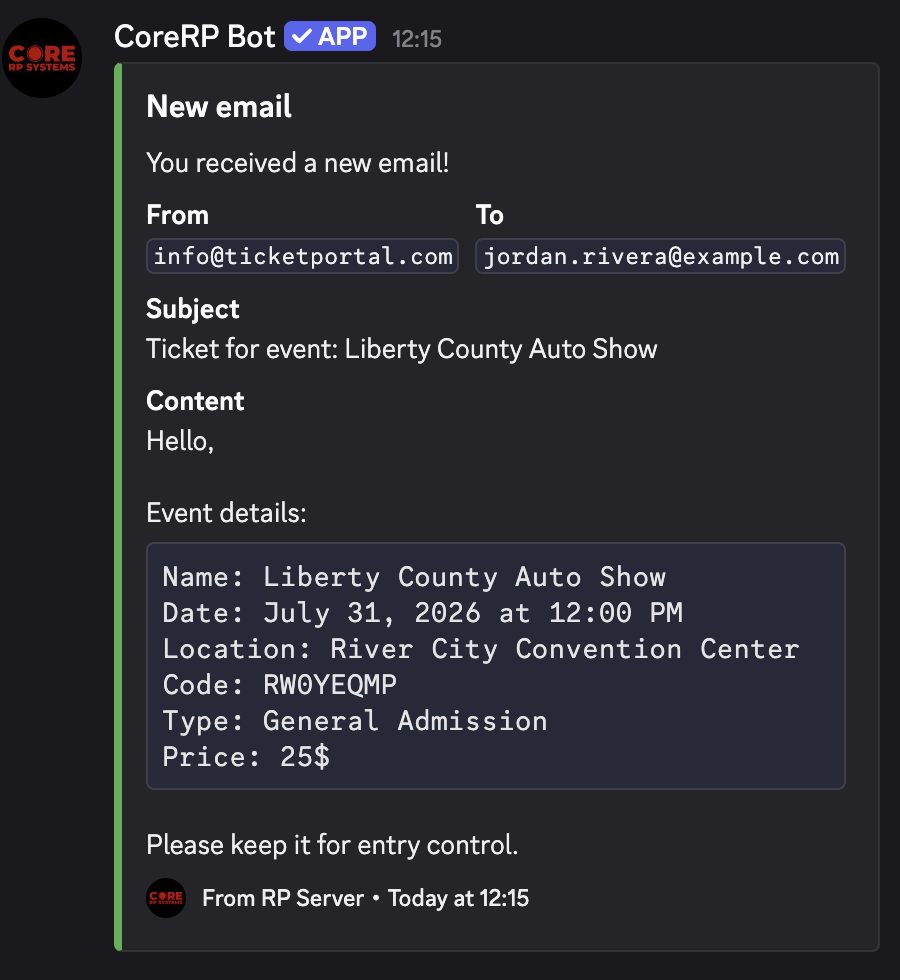
After confirmation, CoreRP privately reports Purchase successful or Reservation successful, adds one unique non-permanent inventory item for each ticket, and sends the event details and ticket code by Discord direct message.
Troubleshooting
- The entered email is not registered — create the address on an active character in this Discord server and enter it exactly.
- You do not have an ID card or You do not have a citizen ID created — select a character with a primary account.
- You do not have enough money — compare the required total with the active primary balance.
- Ticket purchase was cancelled — reopen the event. The confirmation may have expired, already been used, or become unavailable.
Next steps
Learn how to view your inventory and item details.