Buy public transport tickets
Buy a CoreRP public-transport ticket and check its displayed validity.
Before you begin
- Create and select your CoreRP character.
- Your active character needs a main bank account with enough money for the selected ticket. Check its balance with View your balance and pay another citizen.
- An administrator must configure public-transport fares and publish the Public Transport panel.
- Use a channel and role allowed by the server's CoreRP command-access rules.
Selecting a ticket in the private menu purchases it immediately. There is no confirmation screen.
Buy a ticket
-
Open the public Public transport tickets panel and select Buy ticket.
-
In Select ticket type, choose one of the 12 options:
- Discounted: Discounted 30-minute, Discounted 60-minute, Discounted 24-hour, Discounted monthly, Discounted yearly
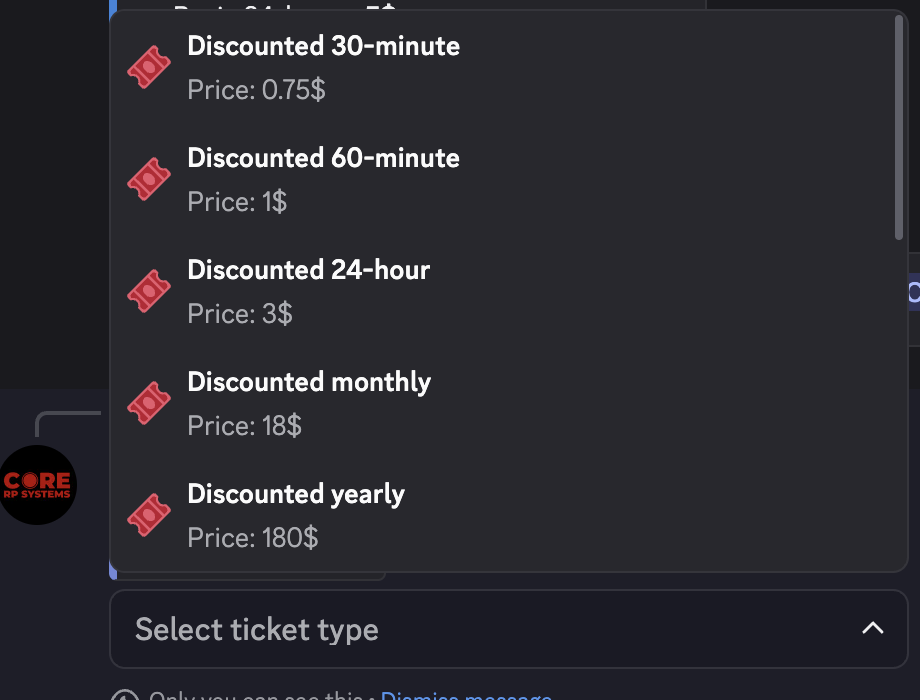
- Basic: Basic single, Basic night single, Basic 30-minute, Basic 60-minute, Basic 24-hour, Basic monthly, Basic yearly
-
Select the ticket. CoreRP immediately debits its current price and privately confirms the purchase and displayed Valid until time.
-
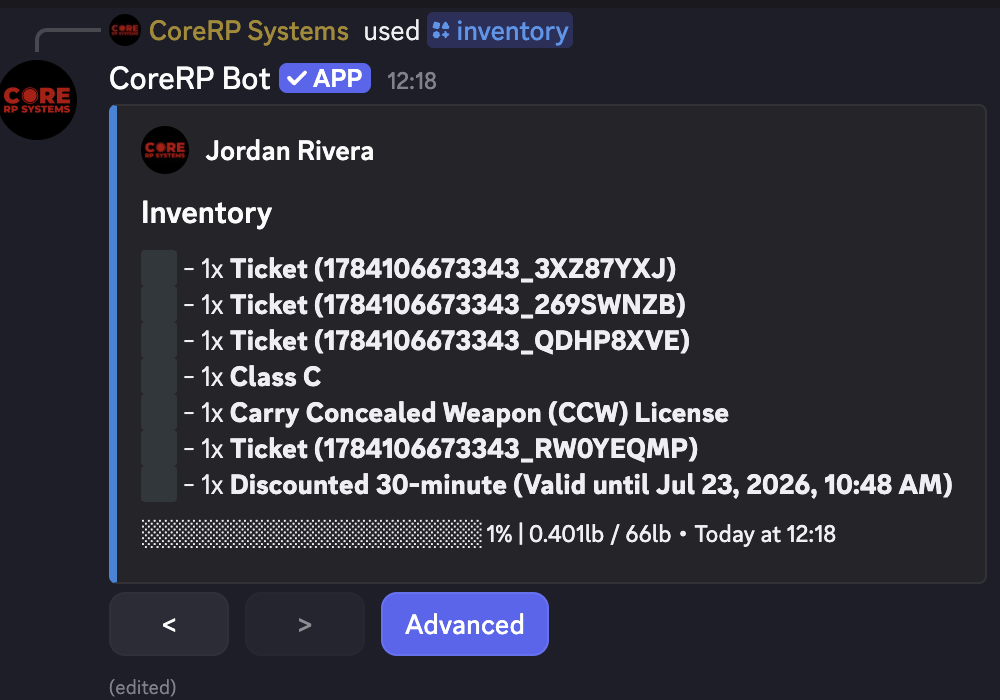
Run
/inventoryand find the exact generated item, such as Basic 30-minute (Valid until date and time).
When the ticket is no longer needed, use /item discard item:<exact generated ticket name> count:1 from Give and discard inventory items.
Troubleshooting
- The ticket was purchased when you selected it — this is expected; the menu has no second confirmation step.
- CoreRP reports insufficient funds — compare the displayed price with the active character's main-account balance.
- The date or time is unexpected — ask an administrator to verify the server timezone, then purchase only after the setting is corrected.
- An ID-card, setup, disabled-command, or permission error appears — select the intended character and use a channel and role allowed for the public-transport feature.
Next steps
Continue with View your inventory and item details.